Features

ASRbox turns the small task of "transcribe this file" into a complete workflow.

01

Local transcription & batch tasks

Drop audio or video into the window and start. ASRbox preflights everything first: audio track presence, format support, duration and chunking — problems are explained before any work begins. Multiple files can be queued at once; tasks can be paused, resumed and retried.

  • 25 local models: Whisper, Faster Whisper (word-level timestamps), MLX Whisper, SenseVoice, Qwen3-ASR, MOSS-Transcribe-Diarize (speaker diarization, 50+ languages)
  • Model sizes from 145 MB to 6.2 GB — pick your accuracy/speed trade-off
  • Resumable downloads: pause, resume and retry model downloads
ASRbox — Local transcription & batch tasks
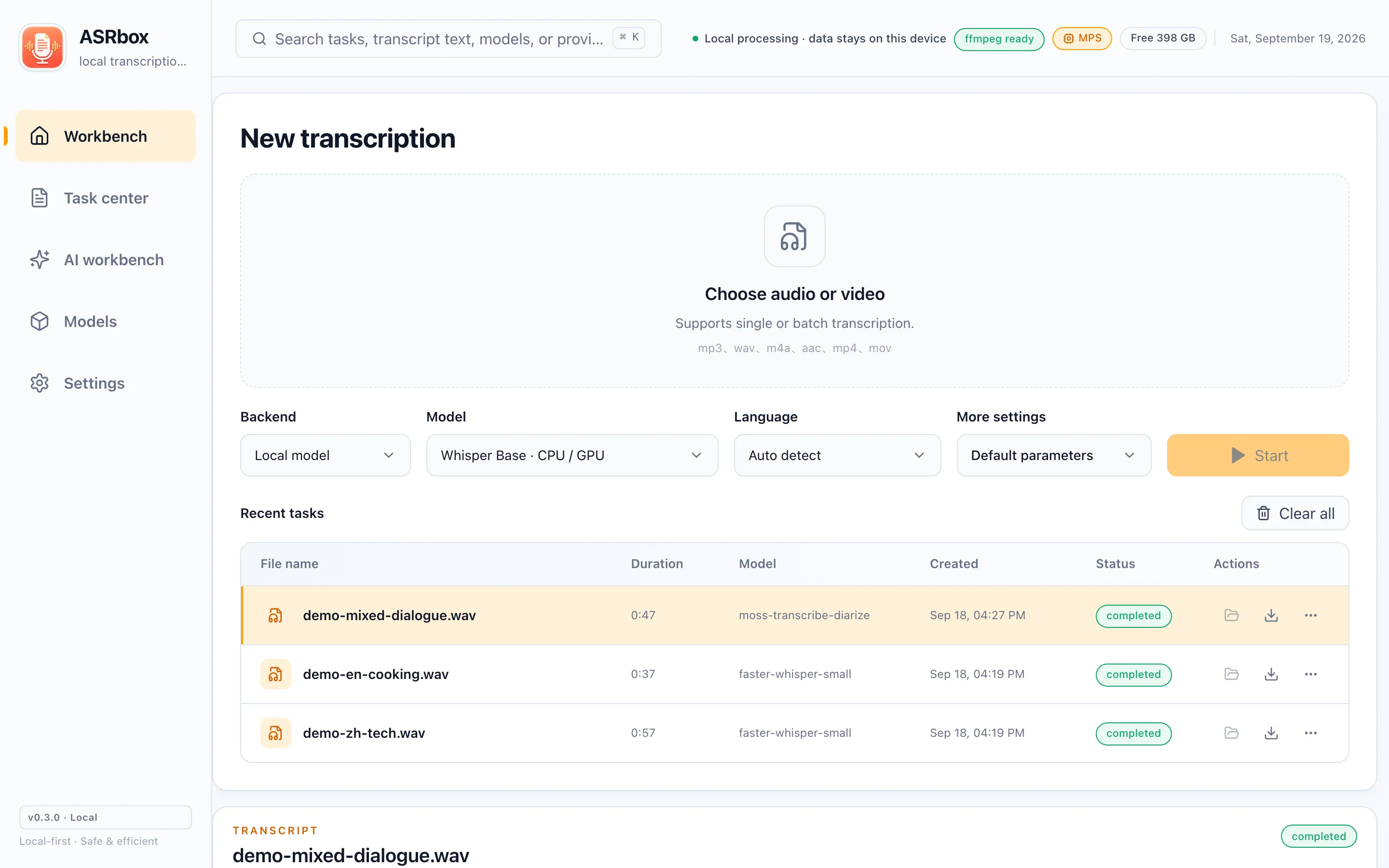
Local transcription & batch tasks
02

GPU acceleration

No more waiting on long audio. With the optional NVIDIA CUDA kit on Windows, local transcription runs up to ~10× faster; on macOS the Apple GPU (Metal / MPS) is used automatically, and Apple Silicon can also pick the MLX-optimized models.

  • The CUDA kit is downloaded on demand — never installed if unused
  • Acceleration status is visible in Settings
ASRbox — GPU acceleration
GPU acceleration
03

Edit subtitles & version history

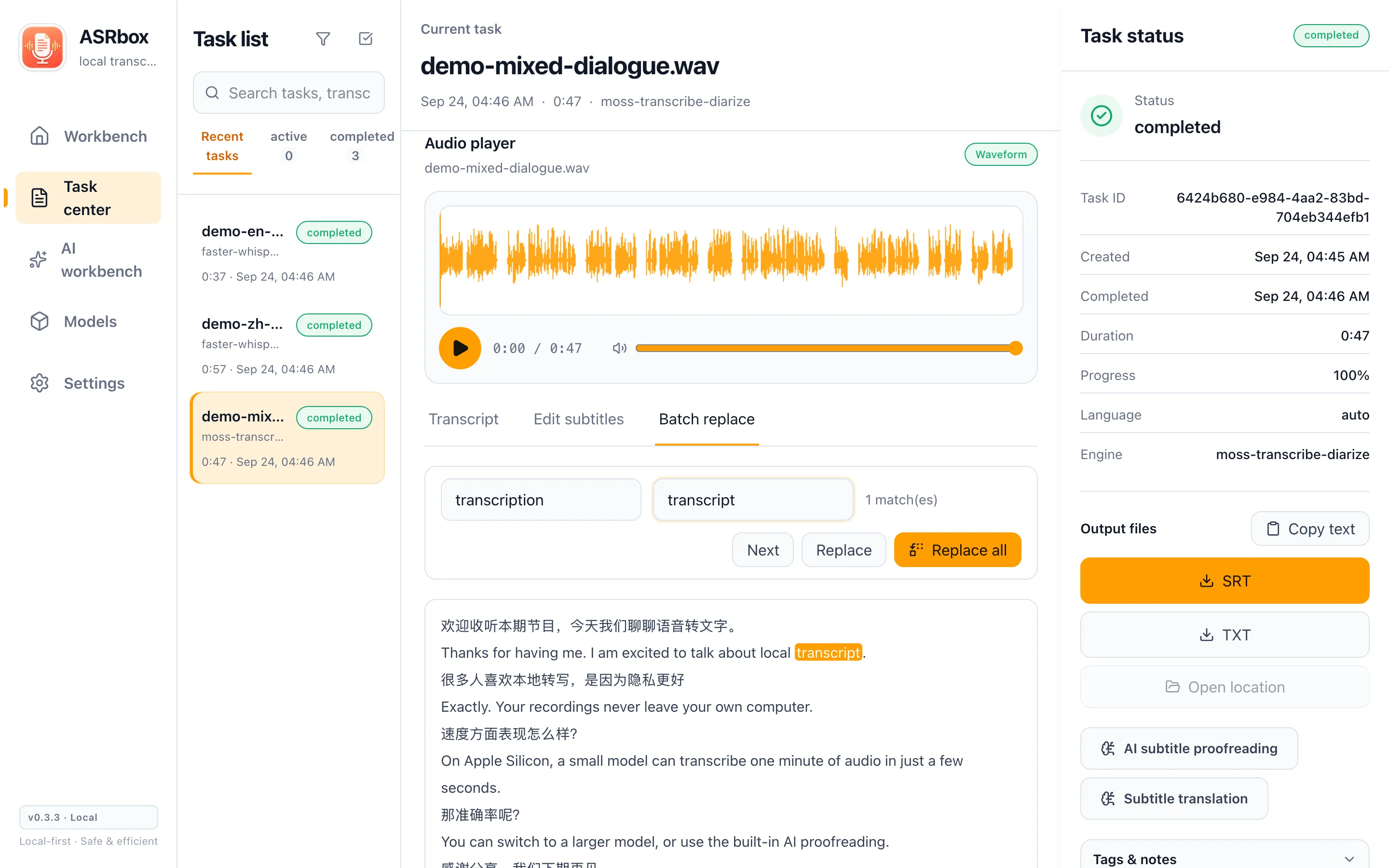
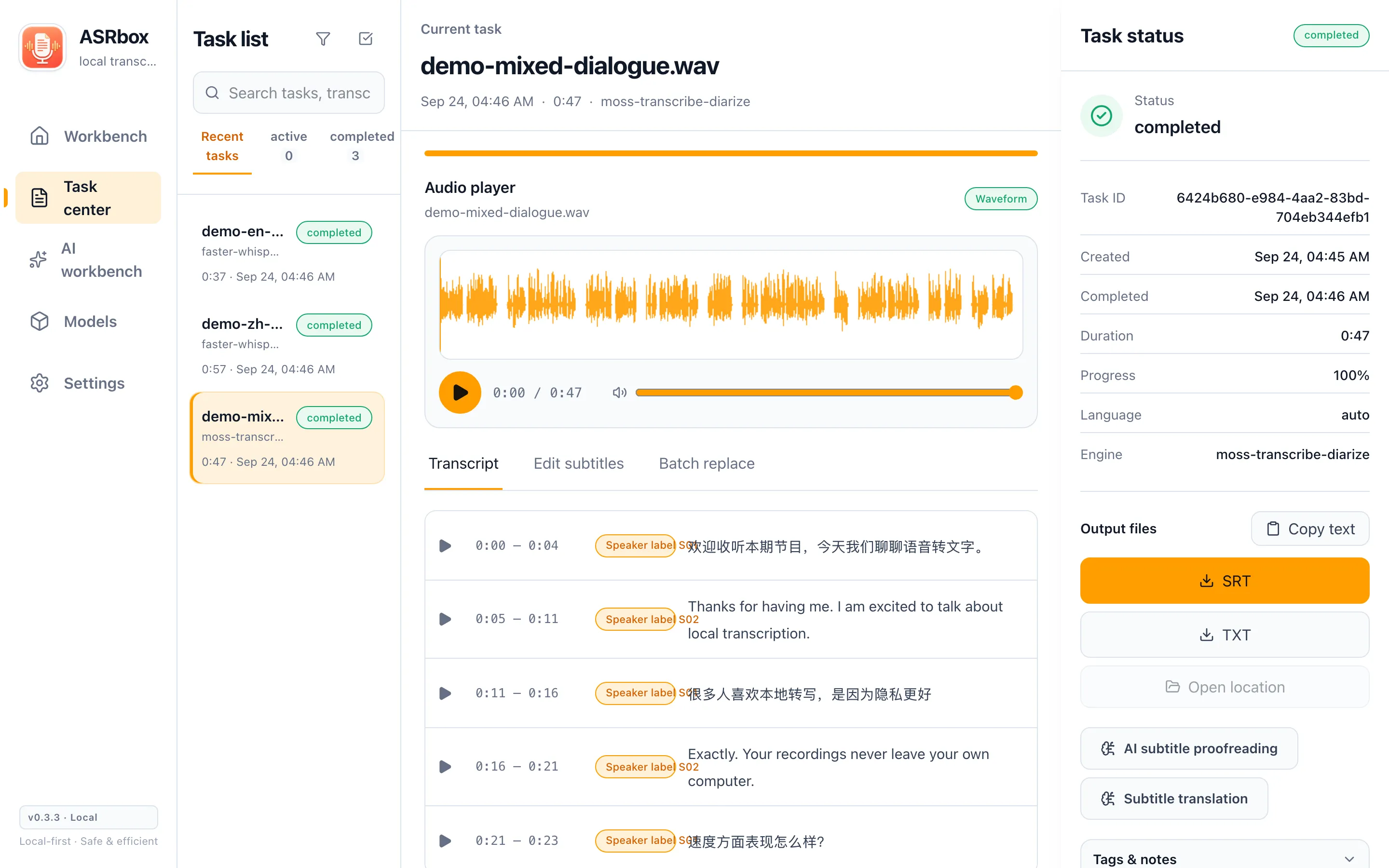
A transcript is never final until you say so. "Edit subtitles" mode makes every segment’s text directly editable in the same row layout as the read-only view; the "Batch replace" tab highlights every match as you type, counts them, and rewrites all of them in one go — perfect for consistent terminology. Either way, saving lands as exactly one immutable version, and every transcription, re-transcription, edit and AI pass is kept as its own version, so you can roll back to any step.

  • Waveform player synced to each segment, with optional 0.5–3 s padding around previews
  • "Batch replace": live highlighting and match counts; replace-all still lands as a single version
  • One save = one immutable version; the full history stays restorable
ASRbox — Edit subtitles & version history
Edit subtitles & version history
04

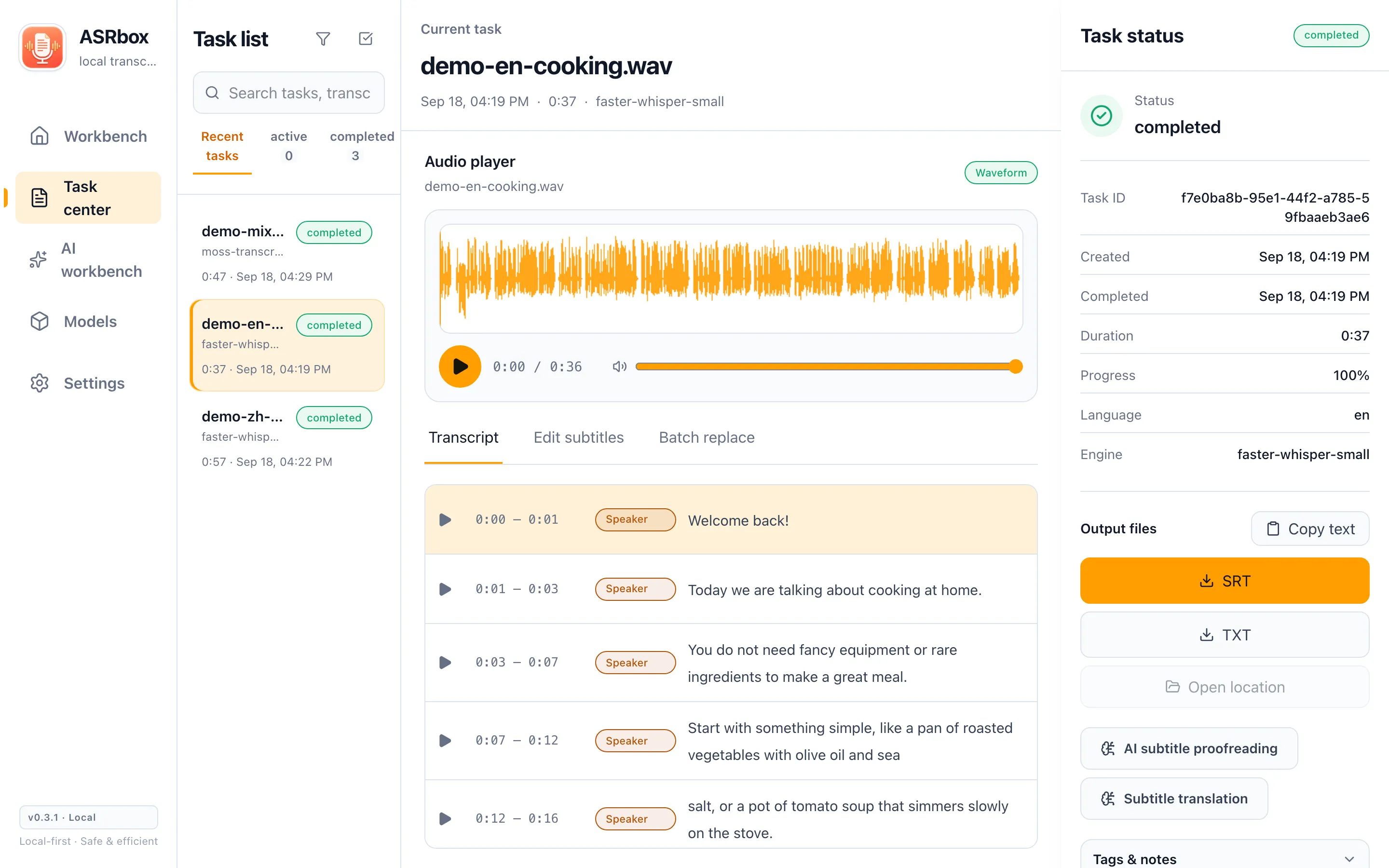
Task center & new interface

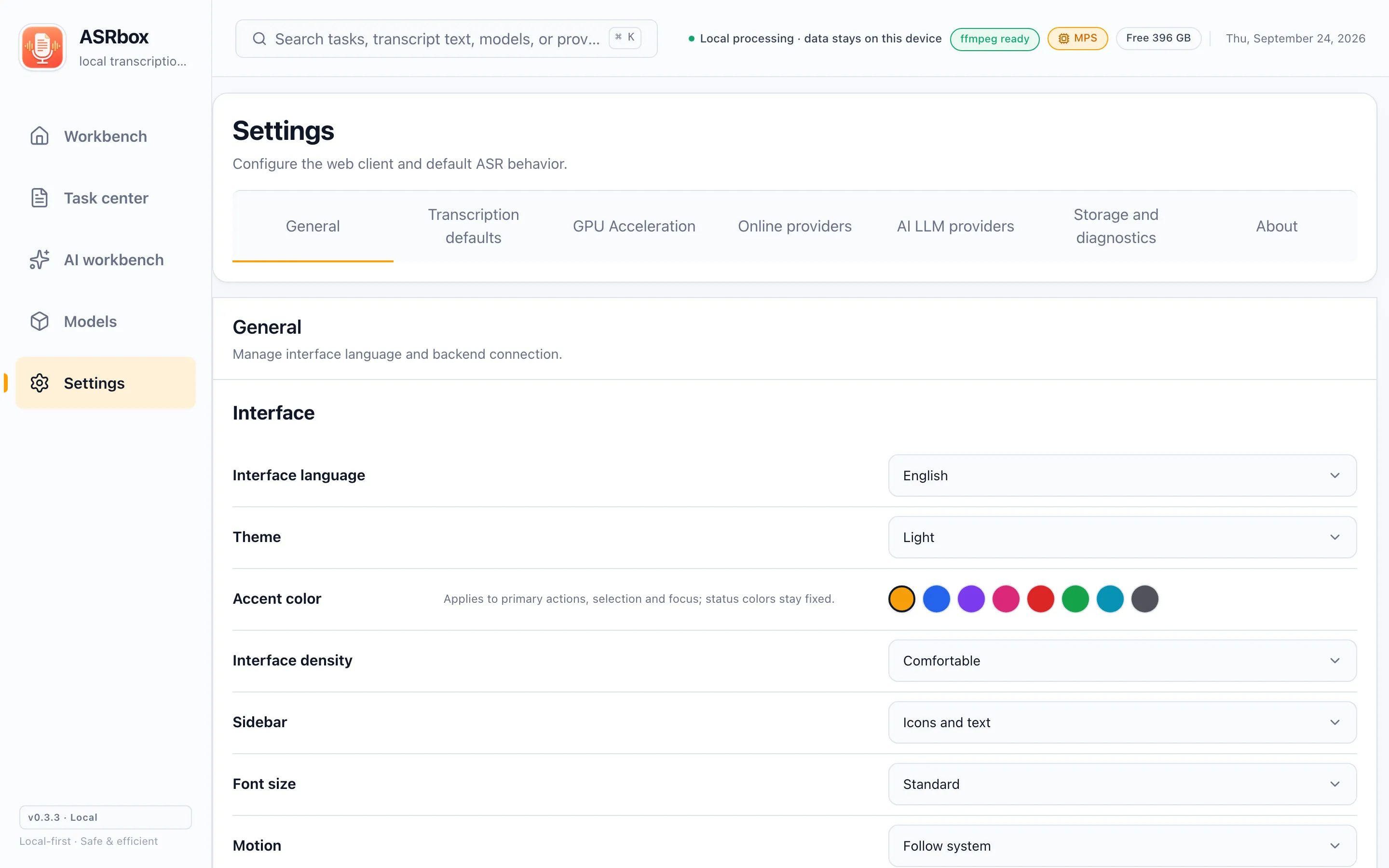
v0.3.0 rebuilds the whole interface: the light and dark themes now share the same continuous-surface layout, with a clearer hierarchy that stays calm over long sessions. On desktop the task center is a persistent three-pane workspace — task list on the left, player and transcript in the middle, task status on the right — so filtering, reviewing and exporting all happen in one window without clipping.

  • Eight accent colors (orange by default) for primary actions, selection and focus
  • Light/dark theme, interface density, font size and motion preferences — all saved locally
  • Cmd/Ctrl+K opens global search; on narrow screens the task list folds into a drawer
ASRbox — Task center & new interface
Task center & new interface
05

AI subtitle proofreading

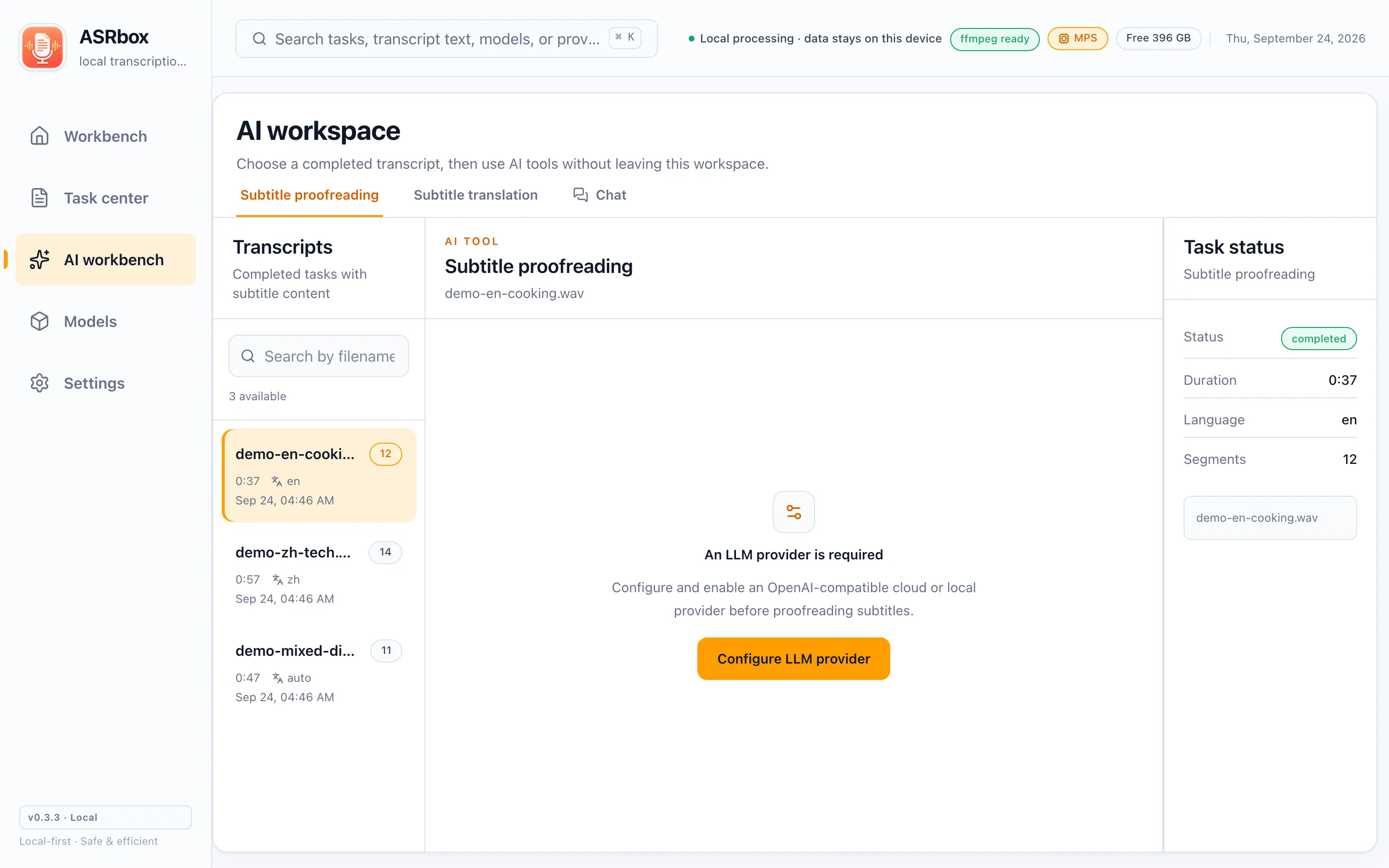
Connect any OpenAI-compatible LLM (presets for MiniMax, Kimi, DeepSeek, Qwen, GLM and Ollama) and let it read through your subtitles for typos, omissions and recognition errors. The AI only suggests: you review each change individually, and only accepted changes become a new version. The original transcript is always preserved.

  • Accept or ignore line by line — always in control
  • Only subtitle text with limited neighboring context is sent — never audio, file names or paths
ASRbox — AI subtitle proofreading
AI subtitle proofreading
06

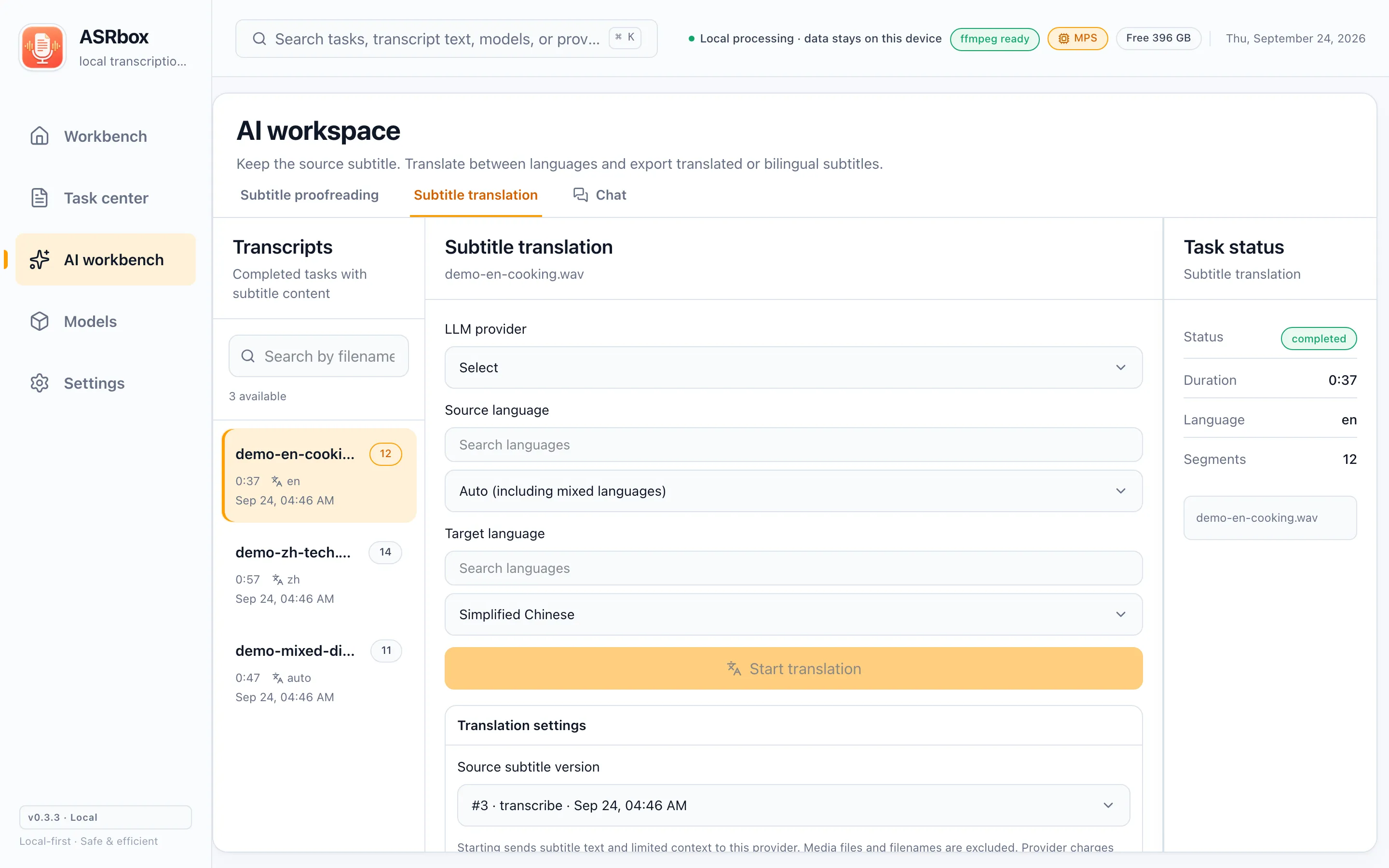
AI translation & bilingual export

Translate subtitles into any of 14 preset languages, or define your own target. Translations are separate versions too, and can be exported as bilingual subtitle files for learning and sharing.

  • 14 preset languages plus custom targets
  • Bilingual subtitle export
ASRbox — AI translation & bilingual export
AI translation & bilingual export
07

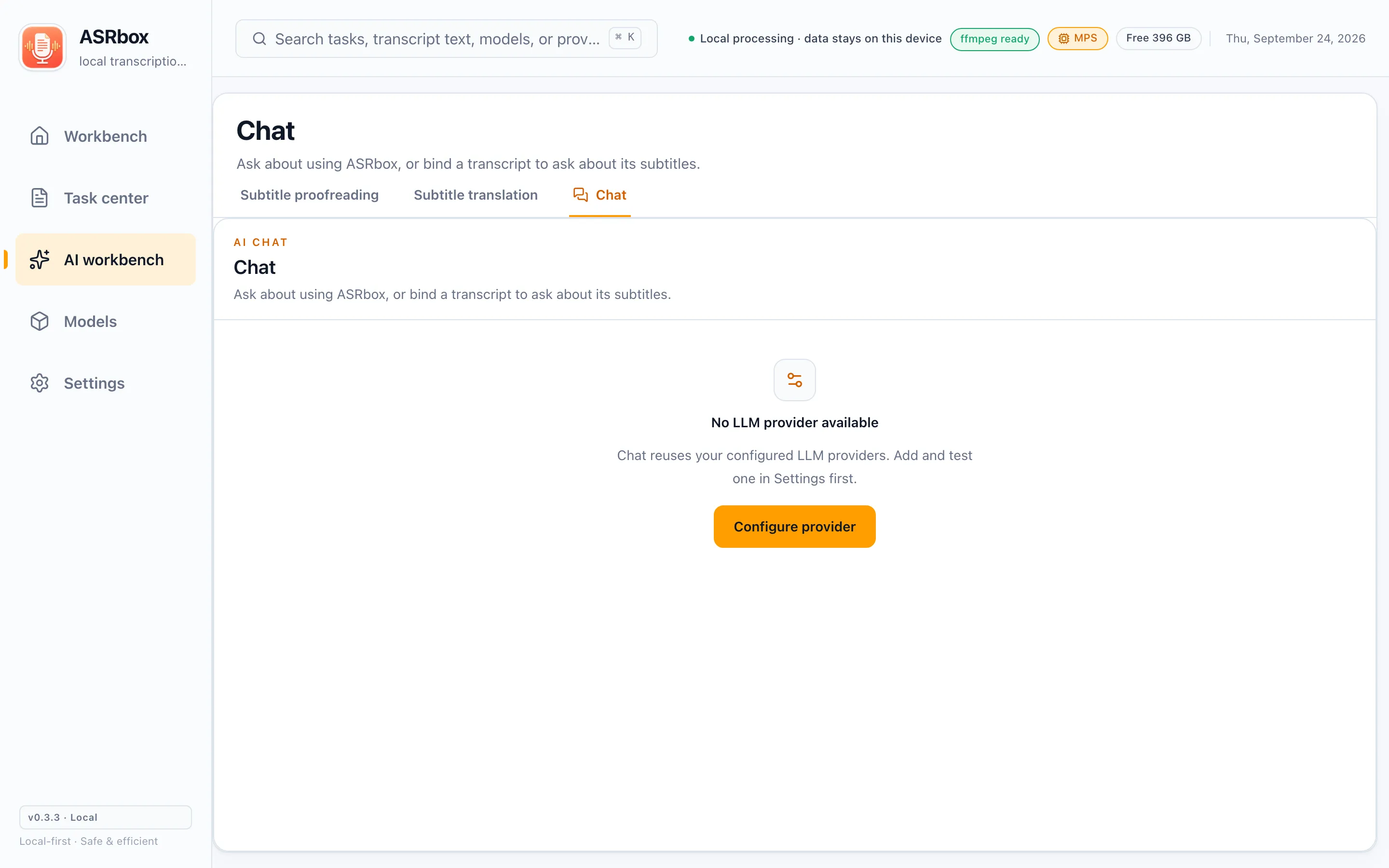
AI chat

Two ways to use it: unbound, it answers questions about using ASRbox itself (with a built-in offline knowledge base); bound to a transcript, you can ask about the content — "summarize this interview", "where do they mention budget" — with timestamped answers you can jump to.

  • Streamed replies, sessions stored locally
  • Quotes carry timestamps for quick verification
ASRbox — AI chat
AI chat
08

Six export formats

TXT, SRT, VTT, ASS, JSON and Markdown. Into editing software, onto players, into notes, or piped into other tools — one of them always fits.

ASRbox — Six export formats
Six export formats
09

Online ASR & cloud LLMs

Beyond local models you can use online services: Bcut (free), Aliyun ASR, any OpenAI-compatible endpoint, or a self-hosted HTTP service. Whether to use them — and which one — is entirely your choice; the privacy notes list exactly what each scenario sends.

  • Online services are optional; everything is local by default
  • API keys stay on your machine
ASRbox — Online ASR & cloud LLMs
Online ASR & cloud LLMs
10

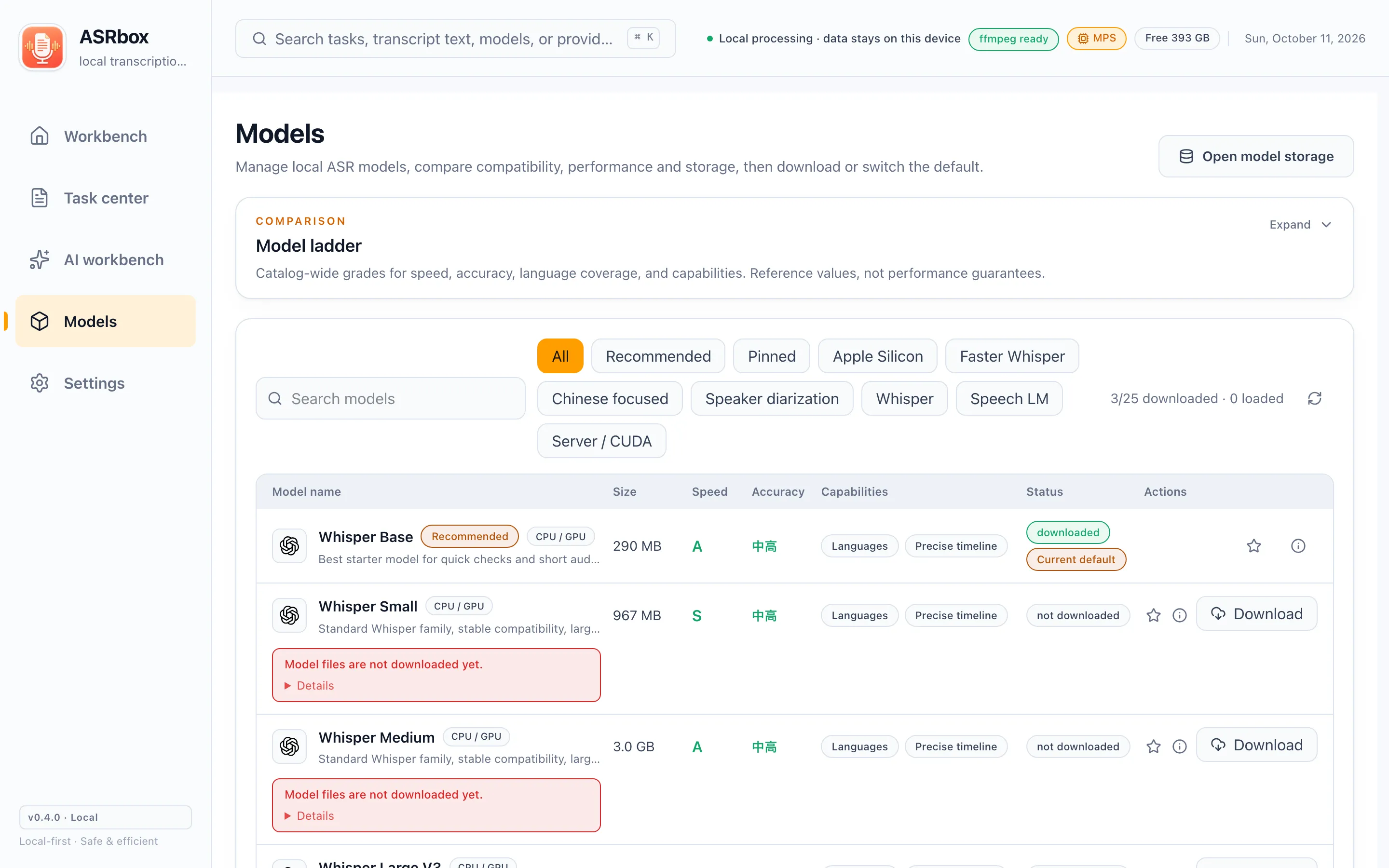
Model & storage management

Every model is labeled with size, language support and device compatibility: how much disk is left and whether a model will run on your machine is known before you download. Remove unused models anytime to reclaim space.

ASRbox — Model & storage management
Model & storage management