From sound, to editable text.
ASRbox puts transcription, subtitle editing, AI proofreading, translation and export into one desktop workspace. Your media stays on your device — and so does your workflow.
- macOS · Apple Silicon
- Windows 10 / 11
- Open source · MIT
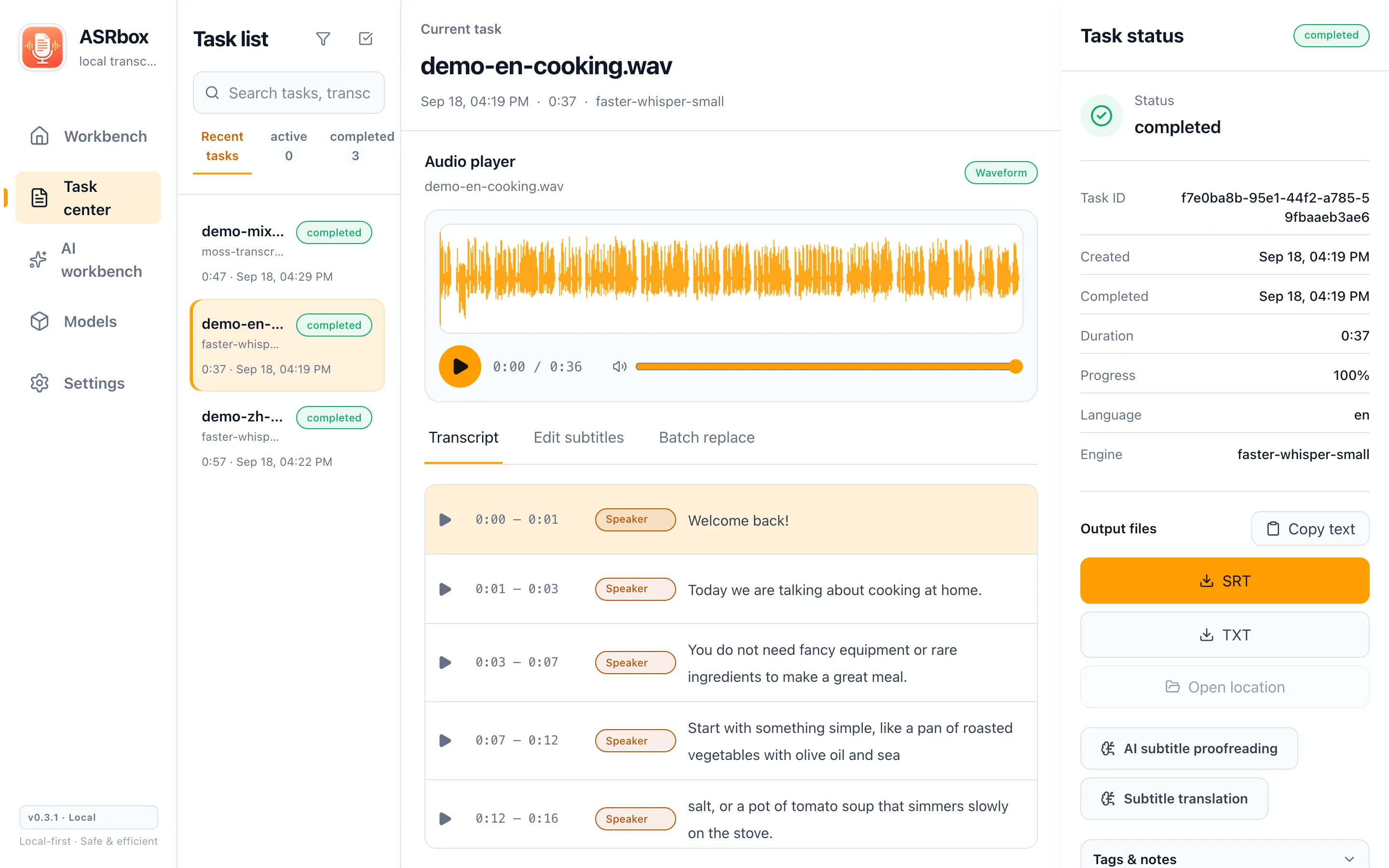
One workspace for everything after "transcribe"
From dropping in a file to exporting subtitles, every step happens in the same window.
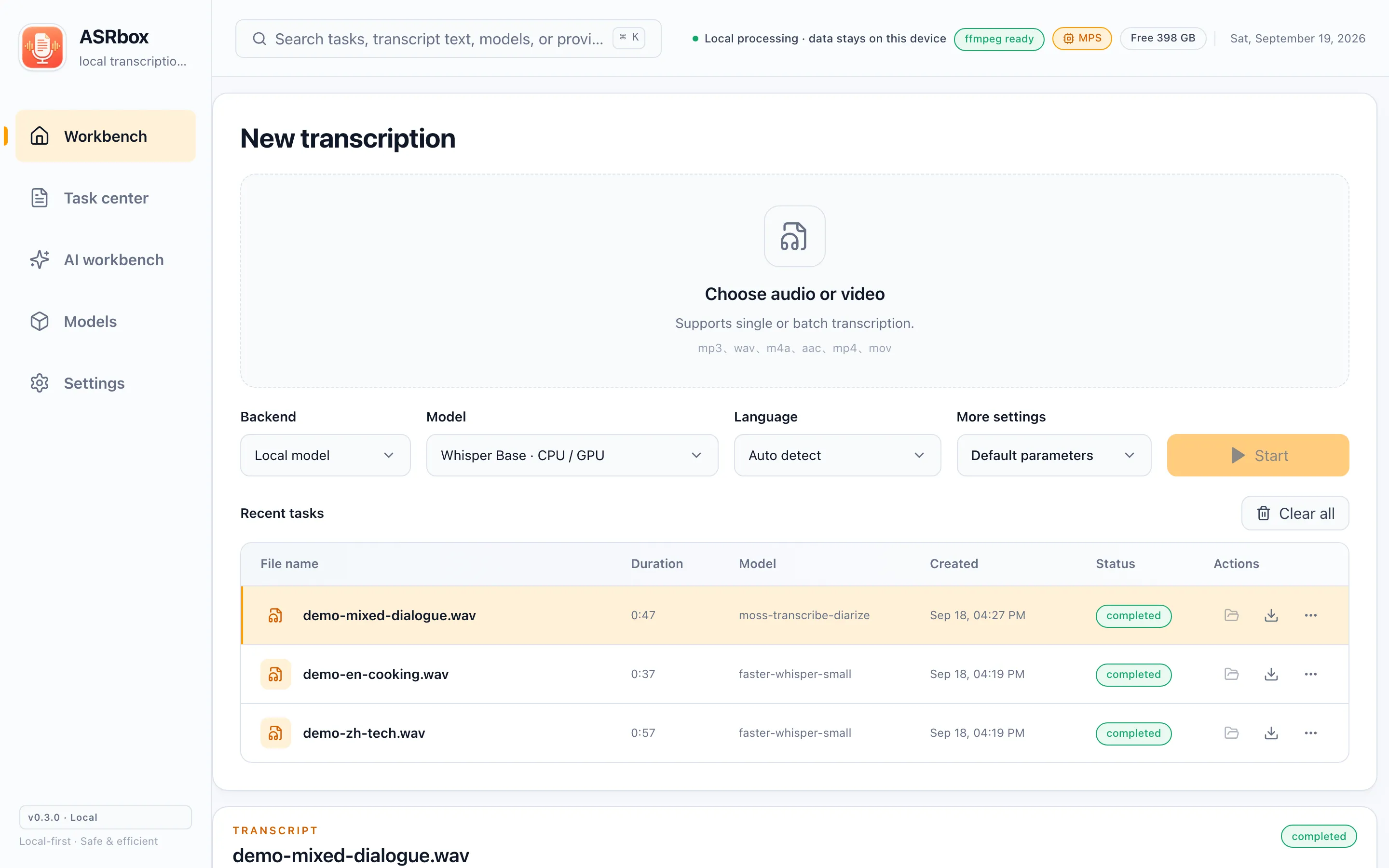
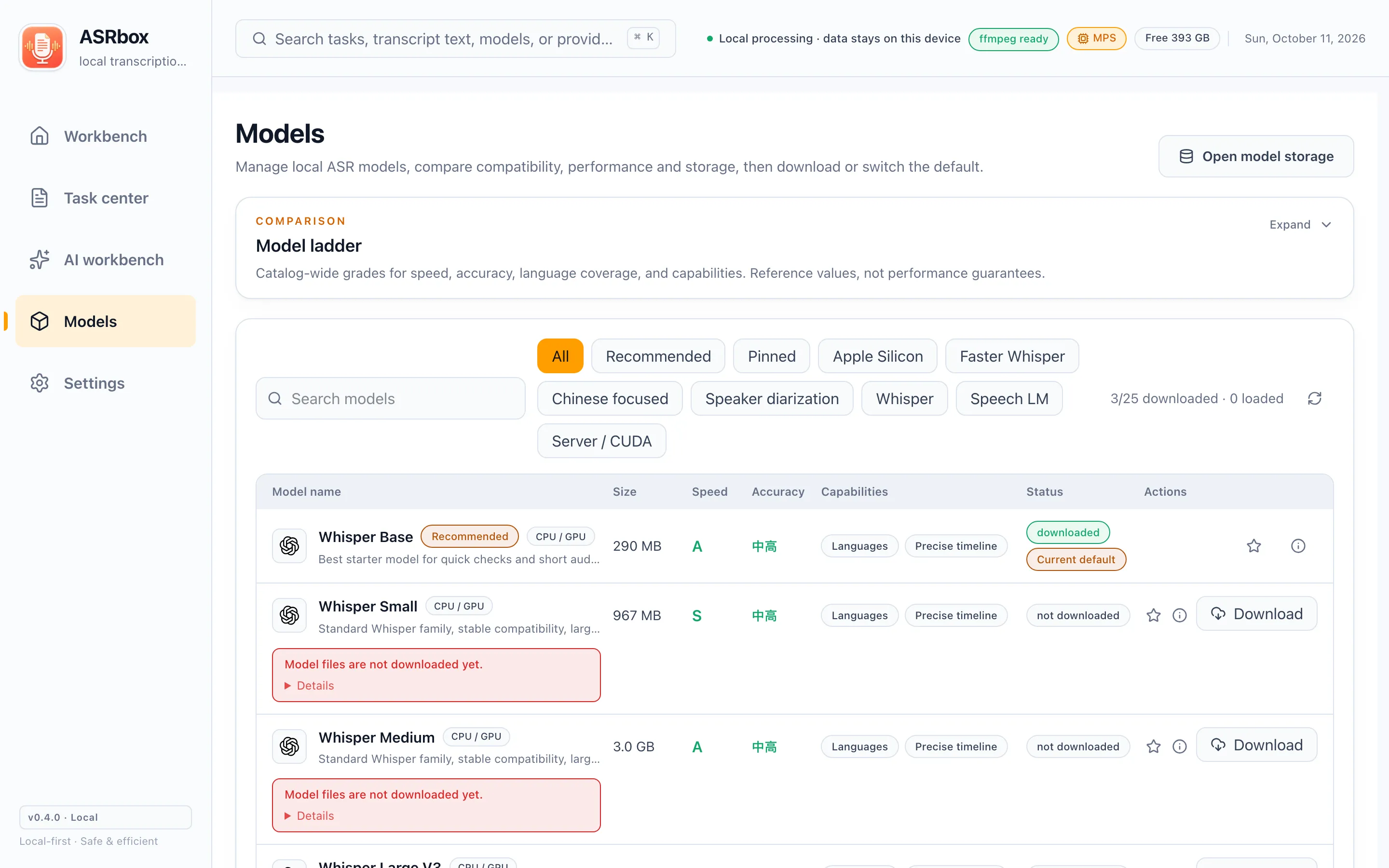
Local transcription
Choose from 25 local models, from a 145 MB small model to a 9.4 GB large one. Batch-drop audio and video files; audio tracks and formats are preflighted automatically.
GPU acceleration
An optional NVIDIA CUDA kit on Windows speeds up local transcription up to ~10×; on macOS the Apple GPU (Metal / MLX) is used automatically.
Subtitle editing
"Edit subtitles" mode lets you fix every segment in place; each save creates a single immutable version. The waveform player stays in sync line by line, and history is always restorable.
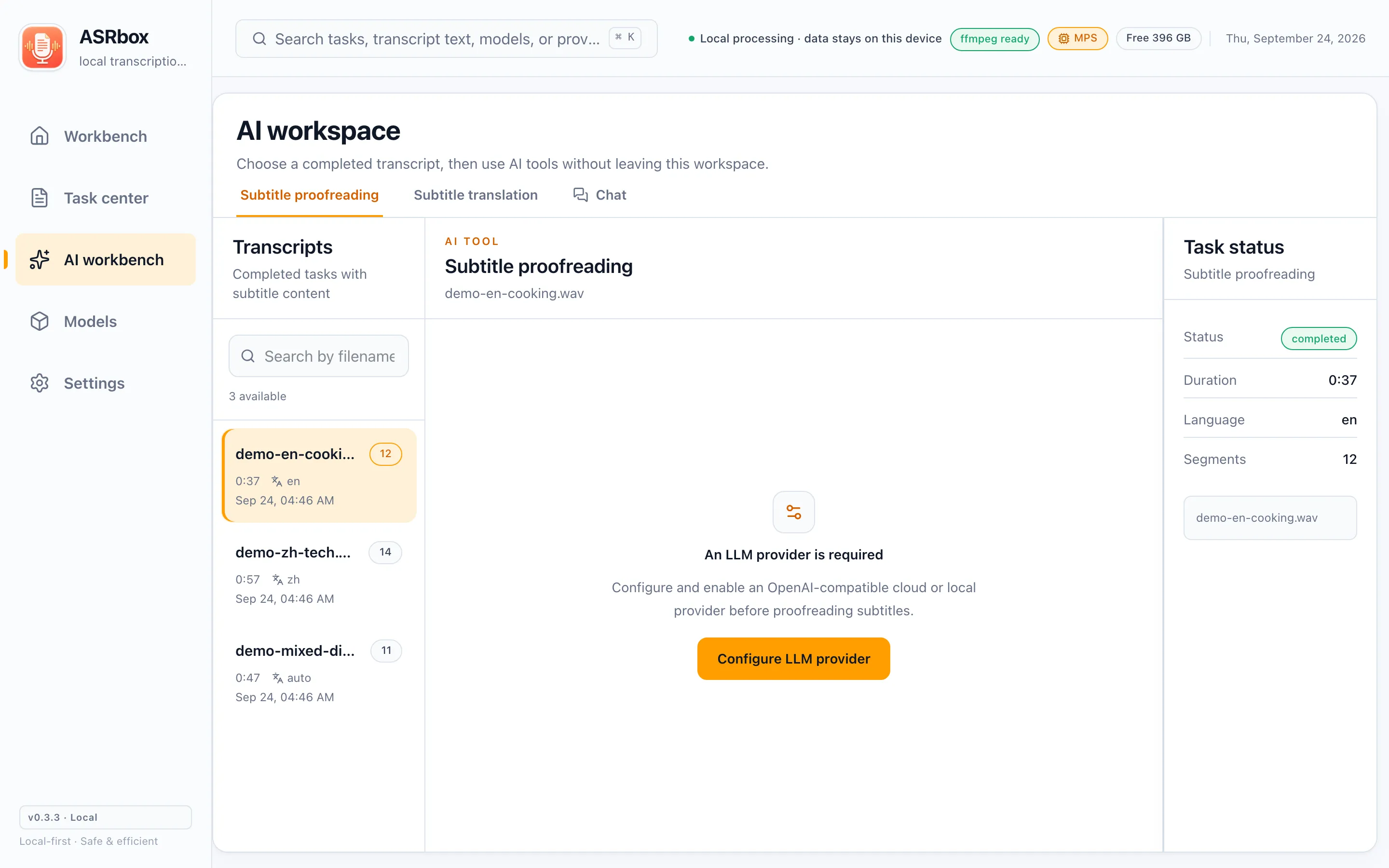
AI proofreading
Let an LLM check typos, omissions and recognition errors. Each suggestion is applied only when you accept it, as a new version — the original stays untouched.
AI translation & chat
Translate between 14 preset languages and export bilingual subtitles. Or chat with a transcript: summarize it, find quotes with timestamps.
Multi-format export
TXT, SRT, VTT, ASS, JSON and Markdown — covering editors, players and note-taking tools.
What you see is what you get
Screenshots below come from a real running ASRbox, with no cosmetic touch-ups.
Your media stays on your computer by default
Local transcription works fully offline: audio, video, subtitles and version history are all stored on your device. Data only leaves the machine when you explicitly use online ASR or cloud LLMs — and the privacy notes spell out exactly what is sent.
Read the privacy notesGet started. It’s free.
ASRbox is free and open source (MIT License), currently in public beta. Download it, use it, tell us what you think.